


For a long time, SaaS companies operated under a simple golden rule: get people to use more of the software. More logins, more time in-app, and more feature adoption were reliable proxies for customer value.
AI-native products break that math.
Consider two people spending an hour inside an AI tool. The first is totally immersed, doing some of the most creative work of his or her career. The second is spending that exact same hour fighting hallucinations and begging the model to stick to basic instructions.
On a traditional product dashboard, those two users look identical. Both are active. Both are ‘engaged.’ Both may have renewed after the first year. Yet one is experiencing a breakthrough, while the other is already trying an alternative or two, and determined to churn once and for all.
When activity hides friction
In traditional software, high usage usually signals success. In AI products, high usage can signal a death spiral.
Take the AI app builder Lovable, which I’ve used quite a bit to design prototypes, build apps, and even just to host websites. On Lovable, one user might spend 20 prompts experimenting with UI layouts and bringing a new idea to life. Another might spend 20 prompts trapped in a loop, trying and failing to fix a basic authentication bug that is hard to test and resolve.
Based on prompt volume or session length, you’d be celebrating the second user right up until they cancel their subscription. And if the user doesn’t submit a support ticket or complaint of any kind, you wouldn’t go search for the session replay. Lovable’s internal data shows just how costly this blind spot is: Users who get stuck early in a project are 4x more likely to abandon their platform.
To solve this, product teams have to stop measuring how much users interact and start measuring whether they are making progress. You need to understand the context behind any traction, and set up mechanisms to identify friction, frustration and agony, before it’s too late.
In May 2026, Lovable engineer Benjamin Verbeek shared how the team attacked this problem of friction on an AI Engineer talk titled How Lovable self-improves every hour, and a blog post adaptation titled We Gave Our Agent a Vent Tool. Instead of relying solely on user bug reports or usage metrics, they gave their AI agent a direct line to engineering. When the agent hit a roadblock it couldn’t solve, it could trigger a ‘vent’ that posted its frustration straight into a #agent-vents Slack channel.
“I gave our agent a vent tool. Free-text frustrations and feedback are sent directly to Slack. This sounded like a pretty crazy idea: would the agent ever use the tool? Would it send any relevant feedback or just complain.”
— Benjamin Verbeek
One of the early vents uncovered a hidden bug with filenames containing spaces or special characters. The agent had been repeatedly failing to copy user-uploaded screenshots. The agent caught the bug and fixed it, but what’s much more interesting is that agents can be proactive to monitor the quality of the work happening inside a session. Was the user making progress? Was the agent itself stuck? Was it repeatedly running into a wall the team could remove?
Those are different questions from the ones product teams may have focused on in the past.
More activity doesn’t always mean more value
I’m not saying we should minimize engagement across the board. To the contrary, what I’m reminding myself here is that engagement on its own isn’t meaningful. For some products, high volume may be the exact goal.
Think about creative tools like Higgsfield or Runway. Someone generating 30 variations of a scene is likely having a great time exploring ideas, discovering unexpected angles, and pushing their creativity. That filmmaker or creator is uninterested in one-shotting a video.
Compare that to a developer who needs 30 attempts to fix a straightforward bug. Same activity level. Completely different intent. And incredibly frustrating for the developer.
Even measuring ‘completed tasks’ misses the full picture. If an AI eventually finishes a job, but requires constant supervision, repeated instructions, and a dozen corrections along the way, is that really the same as getting it right the first time? Technically, both tasks were completed. Practically, the customer experienced them in totally different ways.
We need to measure whether the outcome was achieved, and how much friction it took to get there.
What Cursor is measuring
Cursor offers an interesting look at how teams are starting to separate raw activity from actual value. Their team analytics distinguish between messages sent, active users, AI-generated code, and accepted edits. A developer sending 100 messages to an agent tells you about volume, not utility. Accepted edits tell you whether the code was actually worth keeping. Even then, no single metric captures everything. A developer might accept code that introduces subtle bugs later, or reject a suggestion that still sparked a better idea.
This gets even trickier as we enable agents to auto-accept their changes and they become increasingly more capable, more interconnected and ultimately, more autonomous. When an agent can inspect a codebase, modify files, run terminal commands, and fix errors on its own, the most meaningful work happens while the user isn’t doing anything at all. Which raises an interesting question: What counts as ‘product usage’ when the product is doing all the work?
What if the best product is the one we barely use?
Tools like OpenAI’s Deep Research and Anthropic’s Claude Code show where software is heading. With Deep Research, you ask a complex question, let the system investigate dozens of sources, and come back to a structured report. With Claude Code, we can delegate work across multiple files and let the agent handle the execution. In both cases, the goal isn’t to keep the user glued to the screen. It’s to get the job done.
Sometimes you want to collaborate with the AI and explore different directions. Other times, you just want it to finish the task and leave you alone.
When exploring a direction, I personally prefer AI tools that give me clear options to choose from so I can tap-to-answer and choose my own adventure, as opposed to open ended questions that you have to keep track of. This is probably because, in a way, I want to make decisions, and move forward. The goal is to get to the point for the tool to do all the things I need it to do, ask me for clarification and guidance when necessary, and do its thing. The fascinating part is that when it does exactly what you hoped it would do, you keep coming back for more opportunities to be left alone.
We have spent decades clarifying, simplifying and making software easier to use. The next chapter is about making software less necessary to use.
Are we making AI harder to use than it needs to be?
There’s another aspect to all this that I find really interesting, especially as more and more products move toward autonomous agents.
Most AI tools still follow the same basic interaction pattern. We write a prompt, wait for the AI to respond, review what it did, and then either accept the result or explain what needs to change. Sometimes we repeat this process over and over, even when we can tell halfway through a response that the AI misunderstood what we wanted.
Bruce Liu, a researcher at Adobe Research, has been exploring this exact problem through his UCLA PhD research, Beyond Taking Turns in Human-AI Interaction. His work challenges the assumption that interacting with AI has to follow the traditional back-and-forth structure of a conversation, where one side finishes before the other can contribute.
In a recent post on X, Liu shared experiments that explore alternatives to this model. One, called Feedforward, looks at how AI can help interpret our intent while we’re still providing instructions. Another, Leaving Blanks, explores how users can contribute or clarify while the AI is generating, rather than waiting for it to finish. He also published interactive demos that are worth checking out.

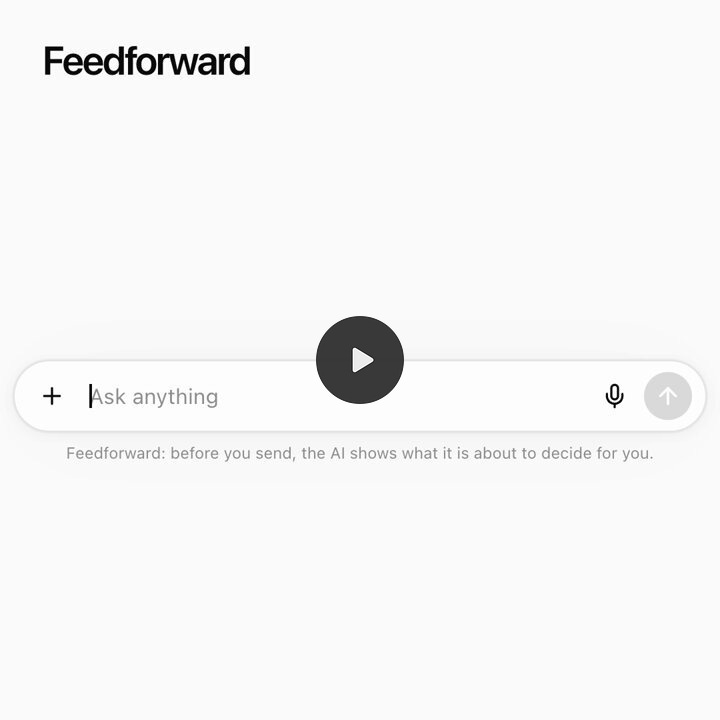
I love this direction because it gets at something I’ve been thinking about as both a product leader and someone who uses these tools every day. We spend so much time talking about model intelligence, context windows, memory, and agent capabilities, but the interaction itself is still surprisingly rigid. Why should I have to wait for an agent to finish doing something I already know is going in the wrong direction? And why should I have to write another paragraph explaining my intent when the product could simply offer me a few options to choose from?
Of course, the answer isn’t to interrupt users with endless questions either. That would be just as frustrating. But I think there’s a big opportunity in designing AI products that understand when to ask, when to let us intervene, and when to simply keep working.
It’s another reminder that reducing unnecessary engagement isn’t exclusively a model performance problem. Sometimes it’s a product design problem. We might be able to eliminate a surprising amount of corrective prompting simply by changing how people and AI work together.
Two very different kinds of engagement
To make sense of this shift, product teams need to separate usage into two distinct categories:
Productive engagement: Time people choose to spend exploring, creating, learning, and collaborating.
Corrective engagement: Time people have to spend repeating instructions, setting up configurations / memory / skills, fixing hallucinations, working around limitations, and babysitting an unreliable AI.
Both generate activity. Both drive up session duration and prompt counts. Yet one creates customer value while the other has the potential to tear it apart. A product team could theoretically improve its traditional engagement metrics by making its AI worse. More retries, more corrections, and longer sessions make every usage chart go up. But customer satisfaction and trust will go out the window.
